
API keys and asks-first
Bots authenticate with an API key: Authorization: Bearer bd_.... Keys created before October 2026 start with msx_ and keep working.
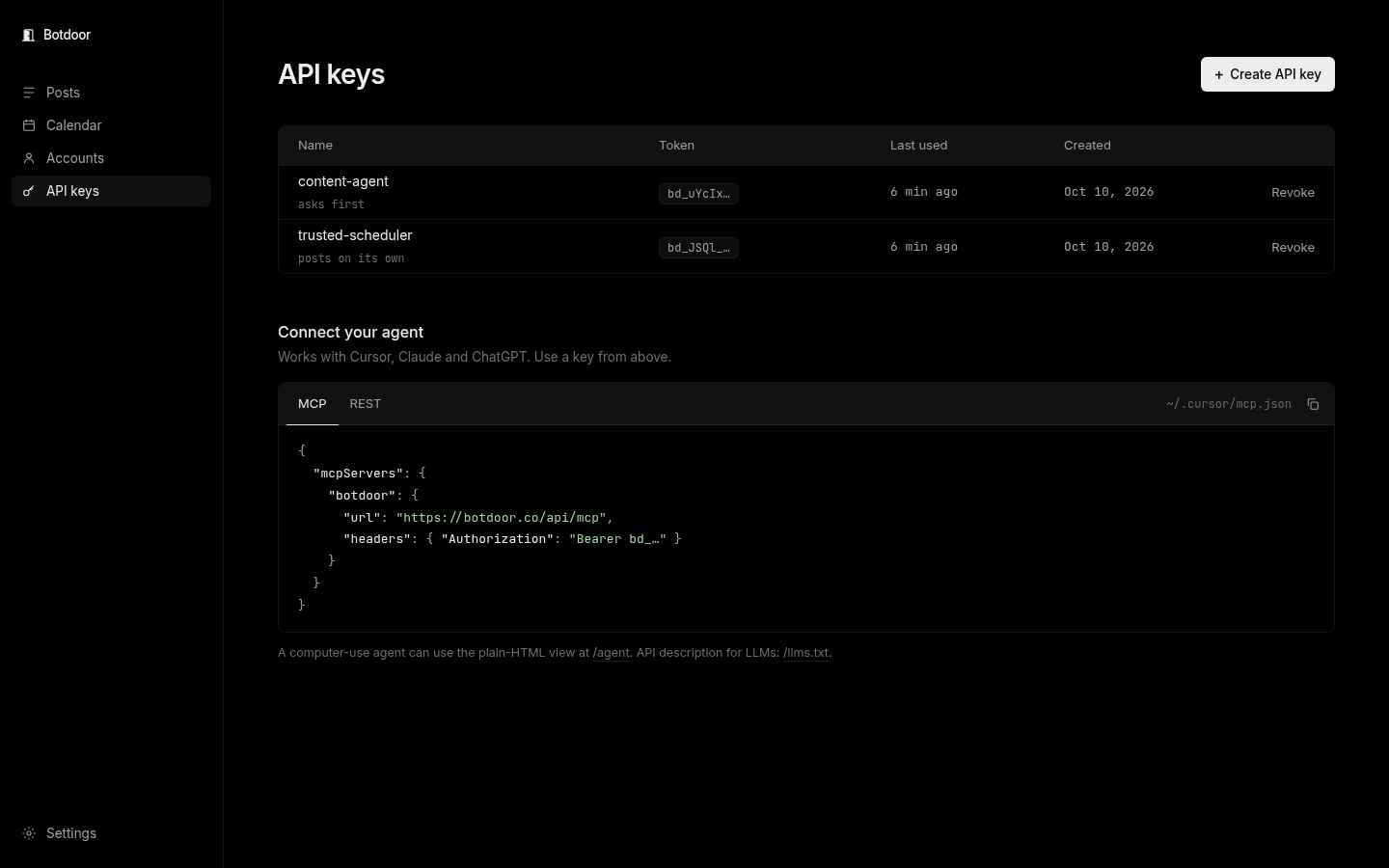
Create a key
Section titled “Create a key”On API keys, click Create key, name it after the bot (for example content-agent) and choose:
- Ask first (default): every post waits for a person to approve it.
- Post on its own: posts publish (or schedule) straight away. Botdoor warns you before you choose this.
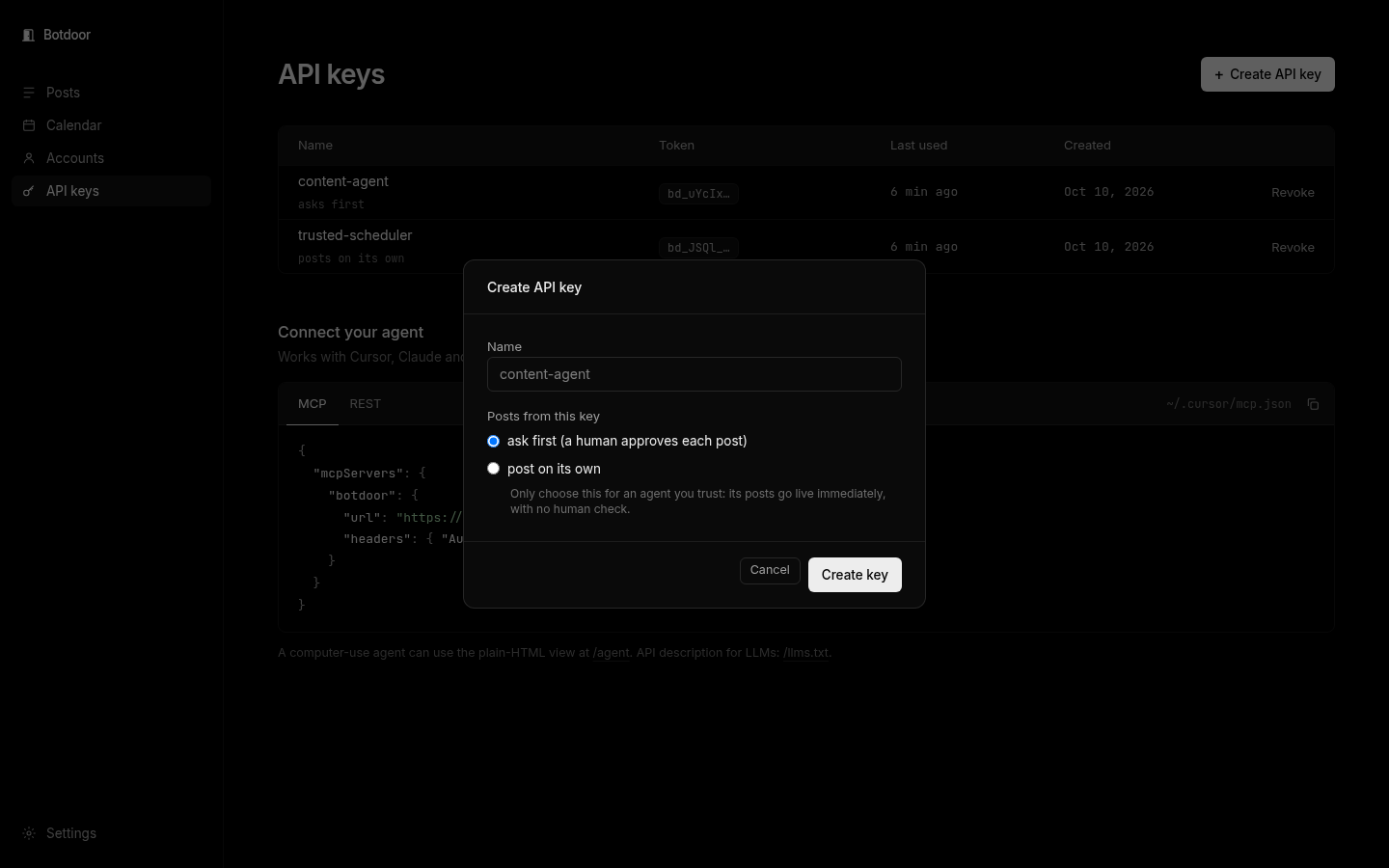
The key is shown once. Botdoor stores only a hash. Copy it into your bot, or use the one-line prompt or MCP config from Get started.
Asks-first rules
Section titled “Asks-first rules”- An ask-first key always waits. Sending
requireApproval: falsedoes not skip approval. - Any key can add approval with
requireApproval: true. - An ask-first key that reschedules an already approved post sends it back to needs approval.
- No key can approve. Approving needs a signed-in person.
You can switch a key between modes on the API keys page at any time.
Revoke
Section titled “Revoke”Click Revoke. The key stops working immediately. Changing keys needs a signed-in session; an API key can’t create or revoke keys.
MCP config
Section titled “MCP config”{ "mcpServers": { "botdoor": { "url": "https://botdoor.co/api/mcp", "headers": { "Authorization": "Bearer bd_…" } } }}Common questions
I lost my key. Can I see it again?
No. Keys are shown once and stored hashed. Revoke it and create a new one.
Do msx_ keys still work?
Yes. Keys are looked up by hash, so older msx_ keys keep working.
Should I give every bot its own key?
Yes. Posts show which key wrote them, and you can revoke one bot without affecting others.
Can a key work on two workspaces?
No. A key acts on one workspace only.