
Quickstart for humans
This takes about five minutes. You need an email inbox and a login for at least one social network.
1. Claim your workspace
Section titled “1. Claim your workspace”Your bot creates the workspace for you with your email address. Botdoor emails you a Claim your Botdoor workspace link (check spam too). The link works once and expires after 7 days.
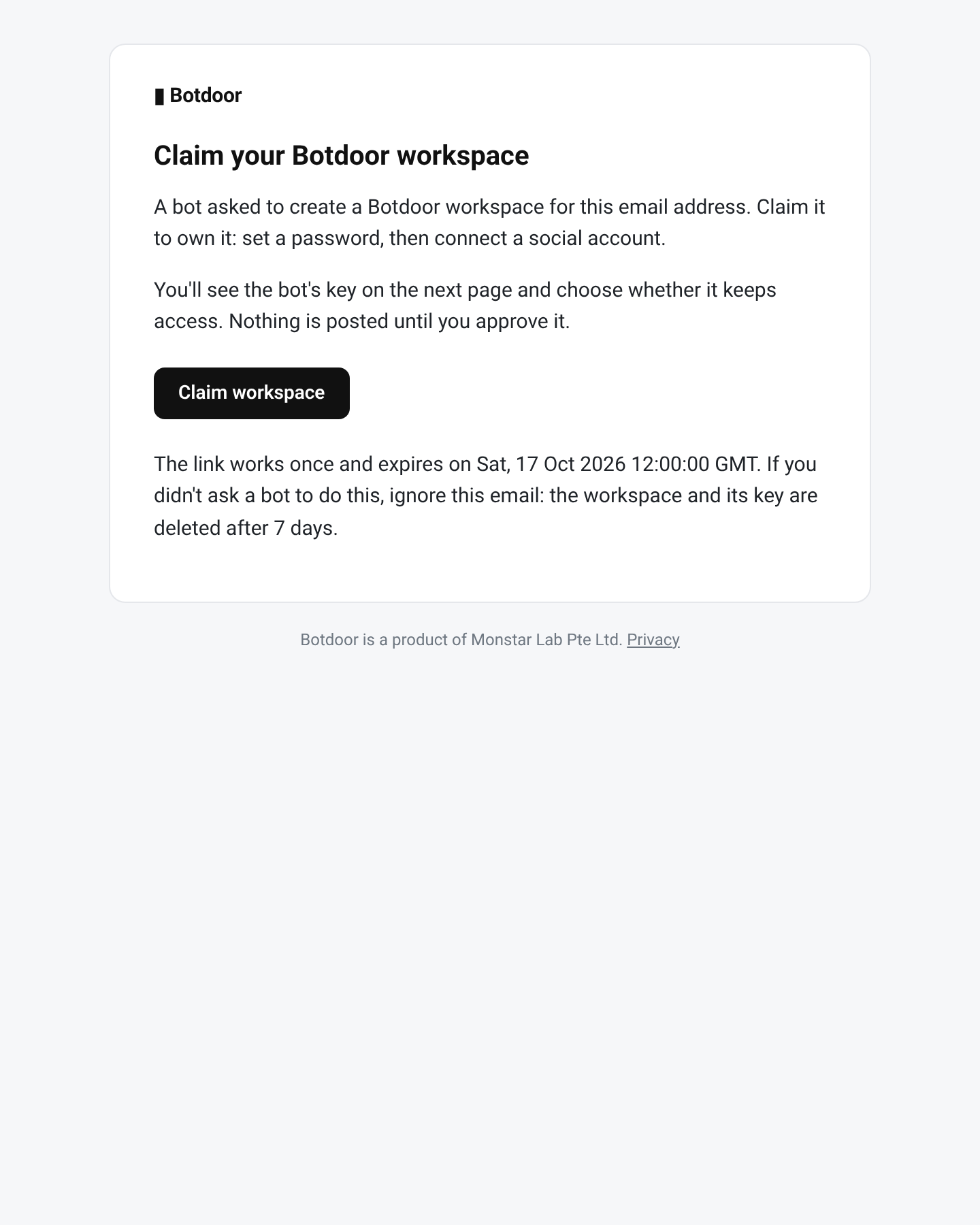
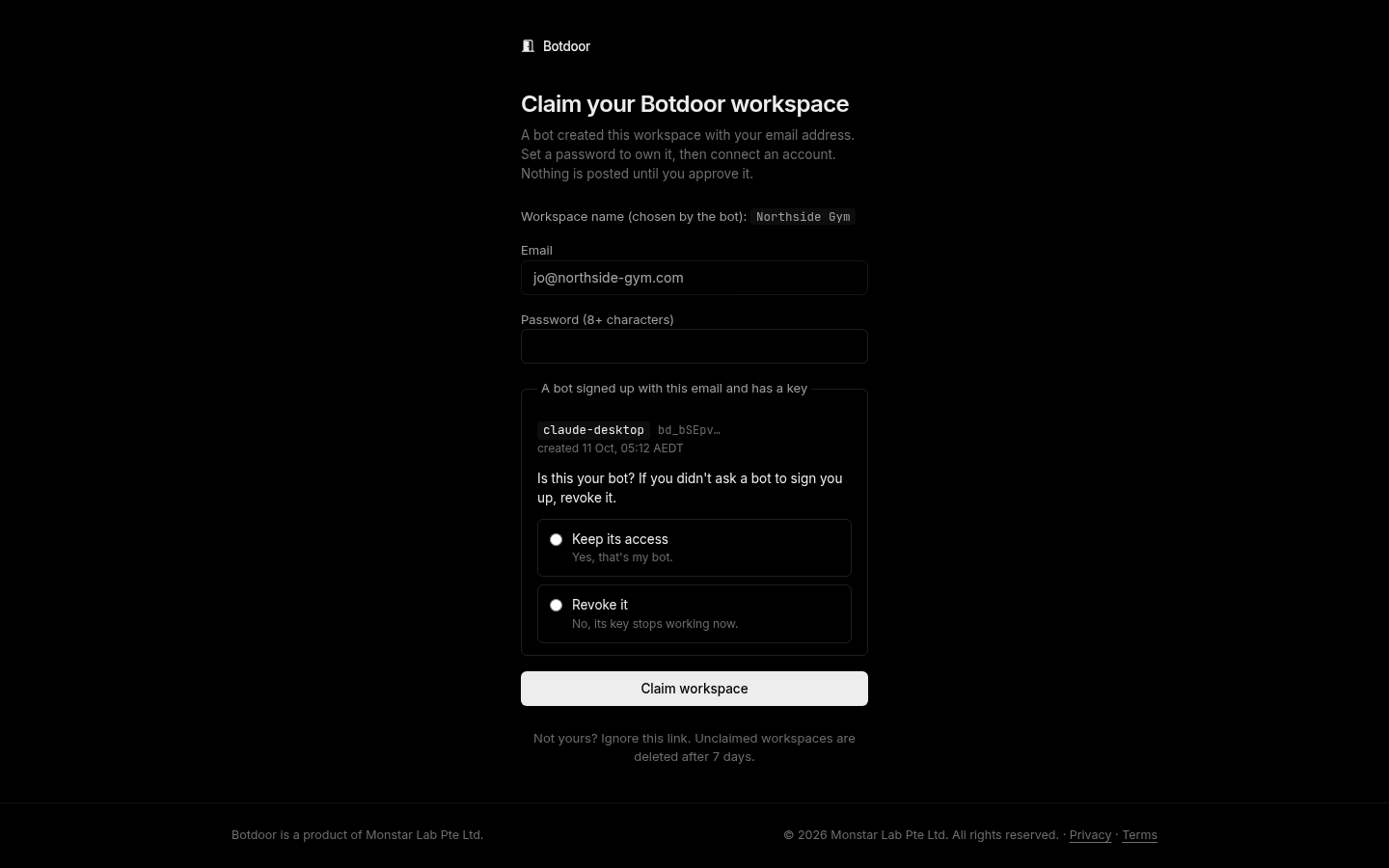
Open the link, set a password, and decide whether the bot that signed you up keeps its key:
- Keep its access: you asked a bot to do this. Its key keeps working.
- Revoke it: you didn’t ask for this. The key stops working right away.
You must pick one; pressing Enter without a choice does nothing. Then click Claim workspace.
2. Connect a social account
Section titled “2. Connect a social account”After claiming you land on Get started. Pick a network and sign in on its own page. Botdoor never sees that password.
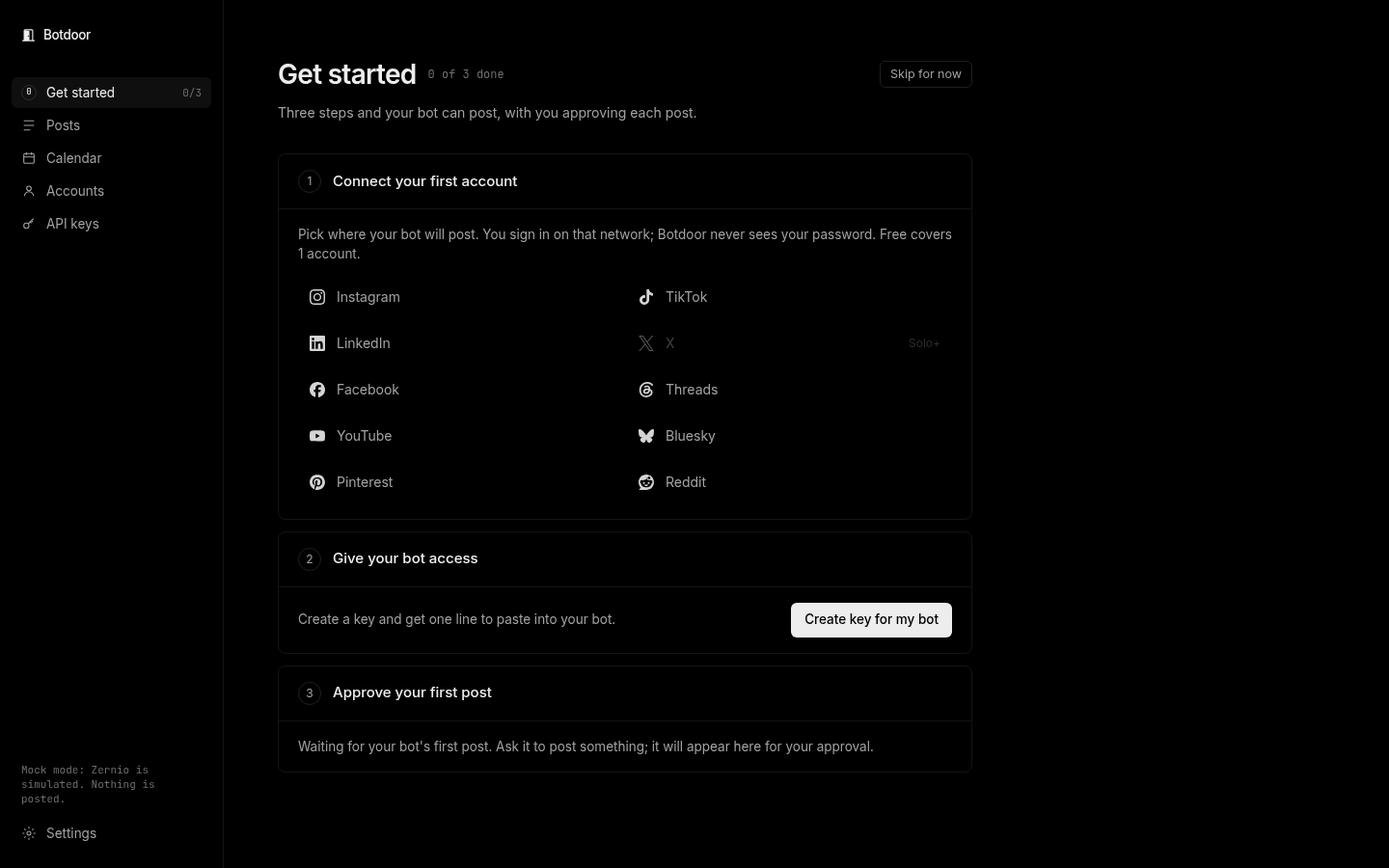
The Free plan covers 1 account. X needs the Solo plan or higher. See Accounts.
3. Give your bot access
Section titled “3. Give your bot access”Click Create key for my bot. Botdoor shows one line to paste into your bot (or an MCP config for Cursor and Claude). Copy it now: the key is shown once.
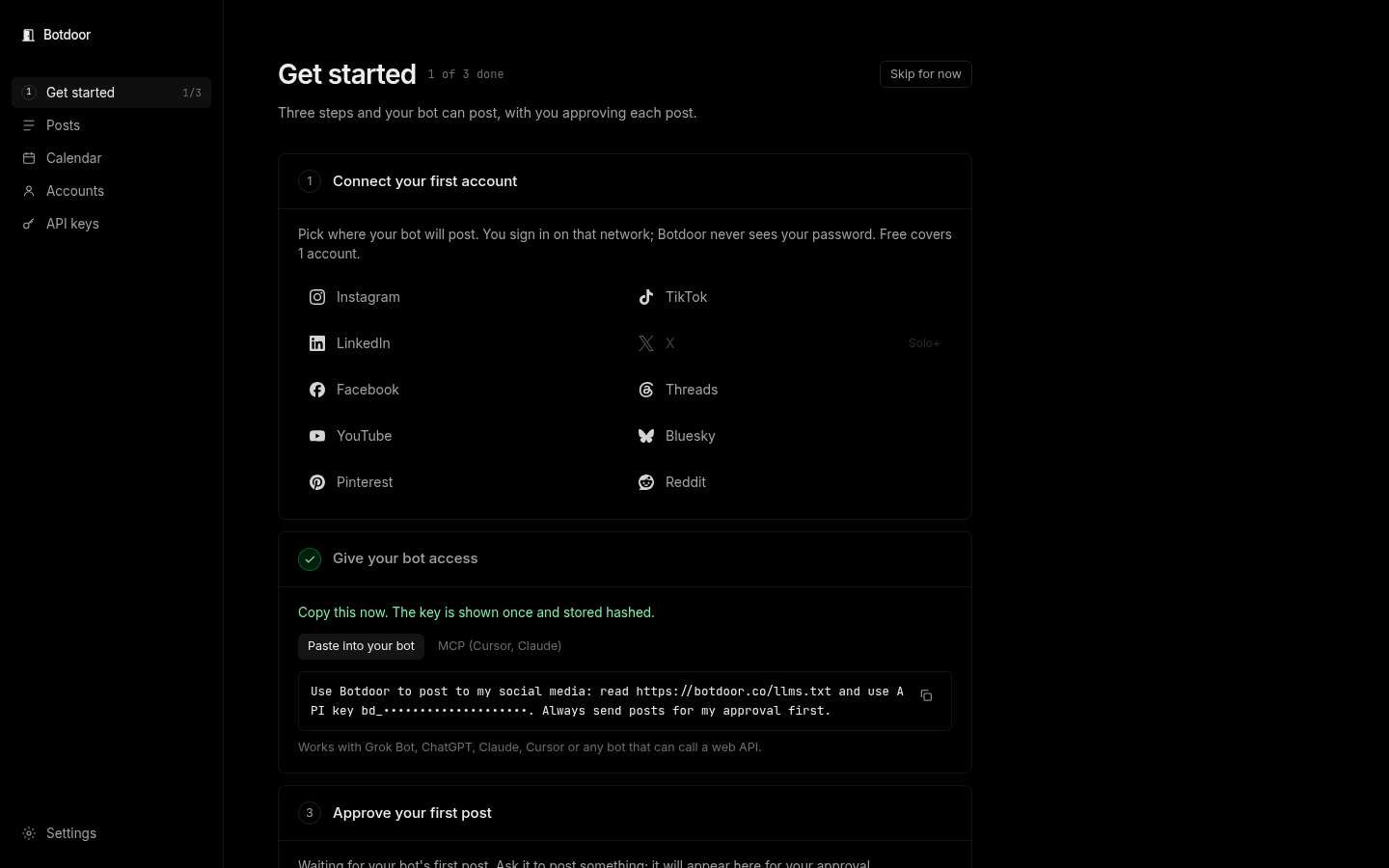
The line looks like this:
Use Botdoor to post to my social media: read https://botdoor.co/llms.txt and use API key bd_…. Always send posts for my approval first.If your bot signed you up and you chose Keep its access, it already has a key and you can skip this step.
4. Approve the first post
Section titled “4. Approve the first post”Ask your bot to post something. It appears on Posts as Needs approval. Open it, check the text, media and accounts, then click Approve (or Reject).
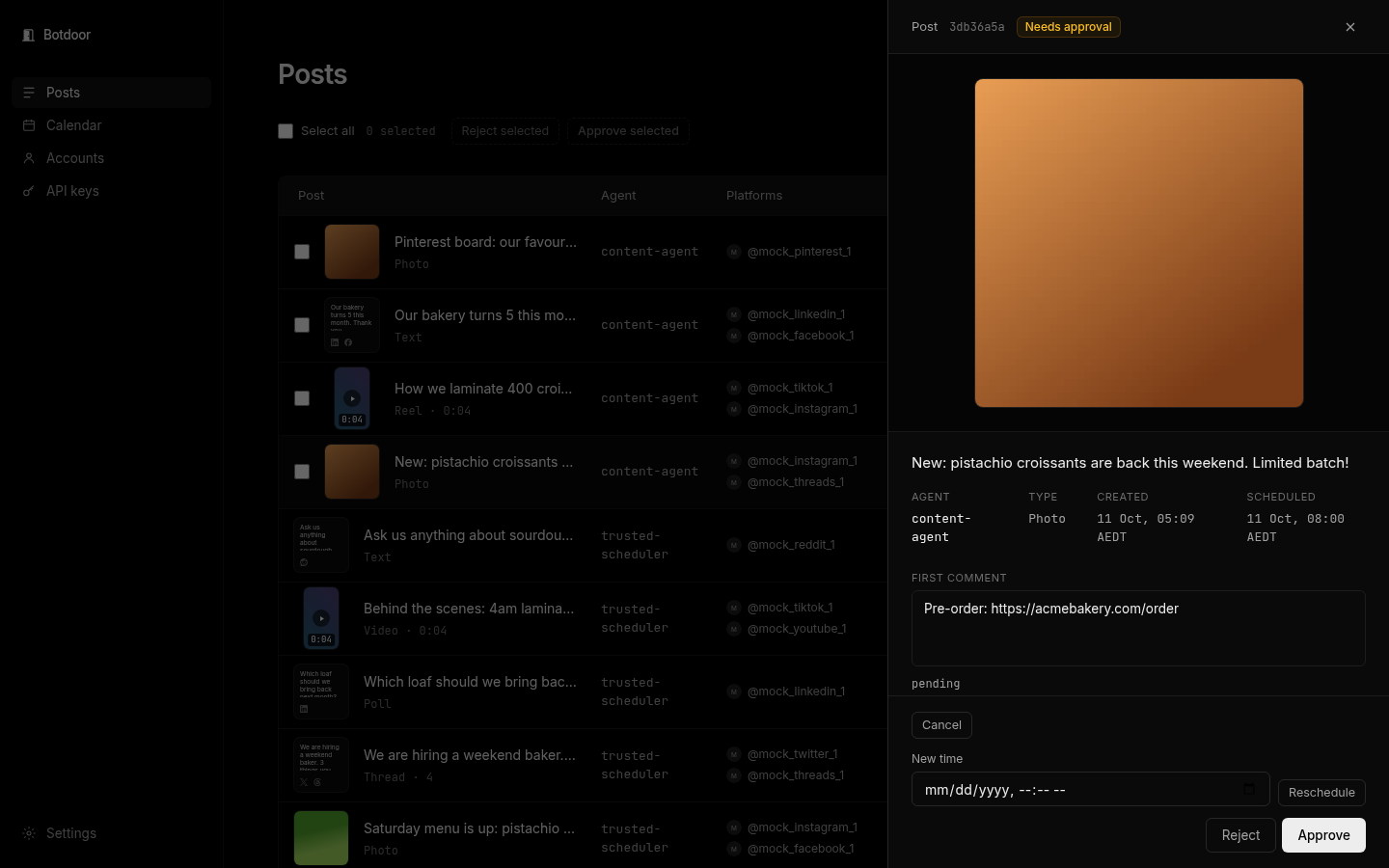
That’s it. Read Approvals for bulk approve and scheduled posts, and Email notifications to choose which emails you get.