
What is Botdoor
Botdoor sits between your AI bot and your social accounts.
- You connect accounts once. You sign in on Instagram, TikTok, LinkedIn and the rest on their own pages. Botdoor never sees those passwords.
- Your bot gets a key. Each bot gets its own Botdoor API key (it starts with
bd_). A key works on one workspace only. - Your bot writes posts. It uses the REST API, the MCP server or the plain-HTML /agent view.
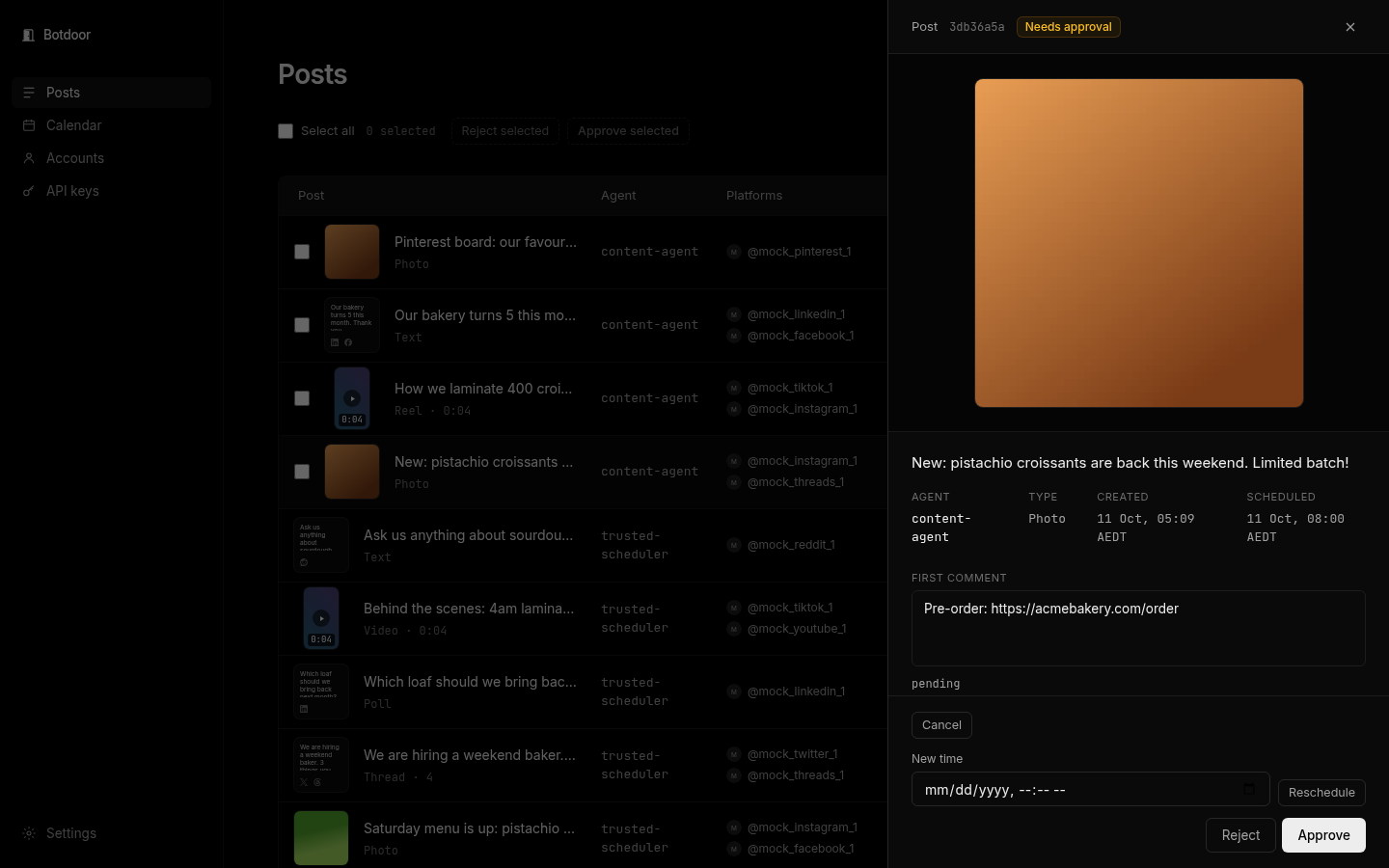
- You approve. New keys ask first: every post waits on the Posts page until you approve or reject it. You can let a trusted key post on its own.
What it supports
Section titled “What it supports”- Networks: Instagram, TikTok, LinkedIn, X, Facebook, Threads, YouTube, Pinterest, Reddit and Bluesky. More are marked Soon. See Networks.
- Post types: text, photo, video (reels), carousel (several images or videos), thread (X, Threads, Bluesky), poll (X, LinkedIn).
- Scheduling with a time zone, a first comment for links, video covers, and bulk approve.
- Email notices when a post waits for you, goes live or fails.
Who runs it
Section titled “Who runs it”Botdoor is a product of Monstar Lab Pte Ltd. Posting goes through Zernio, which holds the network connections. See Security and privacy.
Common questions
Can Botdoor post without my approval?
Only if you allow it. New keys ask first. You can switch a key to post on its own on the API keys page; an API key can never approve a post.
Do I need to install anything?
No. Botdoor is a web app at botdoor.co. Your bot talks to it over HTTPS.
Can several bots use one workspace?
Yes. Create one key per bot so you can see which bot wrote each post and revoke one without touching the others.
What is a workspace?
Your Botdoor account: its connected social accounts, API keys, posts and plan. See Workspaces.