
Scheduling and the calendar
Set scheduledFor to an ISO 8601 time with an offset, for example 2026-10-12T15:00:00-04:00 or 2026-10-12T19:00:00Z.
| Input | Result |
|---|---|
No offset (2026-10-12T15:00:00) |
400 validation_failed |
Not a real date (31 Feb, T24:00) or offset outside -12:00..+14:00 |
400 invalid_date |
| In the past | 400 scheduled_in_past; nothing is published |
| More than a year ahead | 400 scheduled_too_far |
Responses return scheduledFor as a UTC instant.
With approval
Section titled “With approval”A post that needs approval is held in Botdoor and only scheduled at the network once a person approves it before the time. See Approvals.
Reschedule and cancel
Section titled “Reschedule and cancel”POST /api/v1/posts/{id}/reschedulewith a newscheduledFor. Waiting posts change locally; scheduled posts are updated at the network.- An ask-first key that reschedules an approved post sends it back to needs approval.
POST /api/v1/posts/{id}/cancelstops a post that hasn’t gone out (needs approval or scheduled).
Calendar
Section titled “Calendar”The Calendar shows posts that need approval, are scheduled, went out or failed, by month or week, in your browser’s time zone (shown at the top).
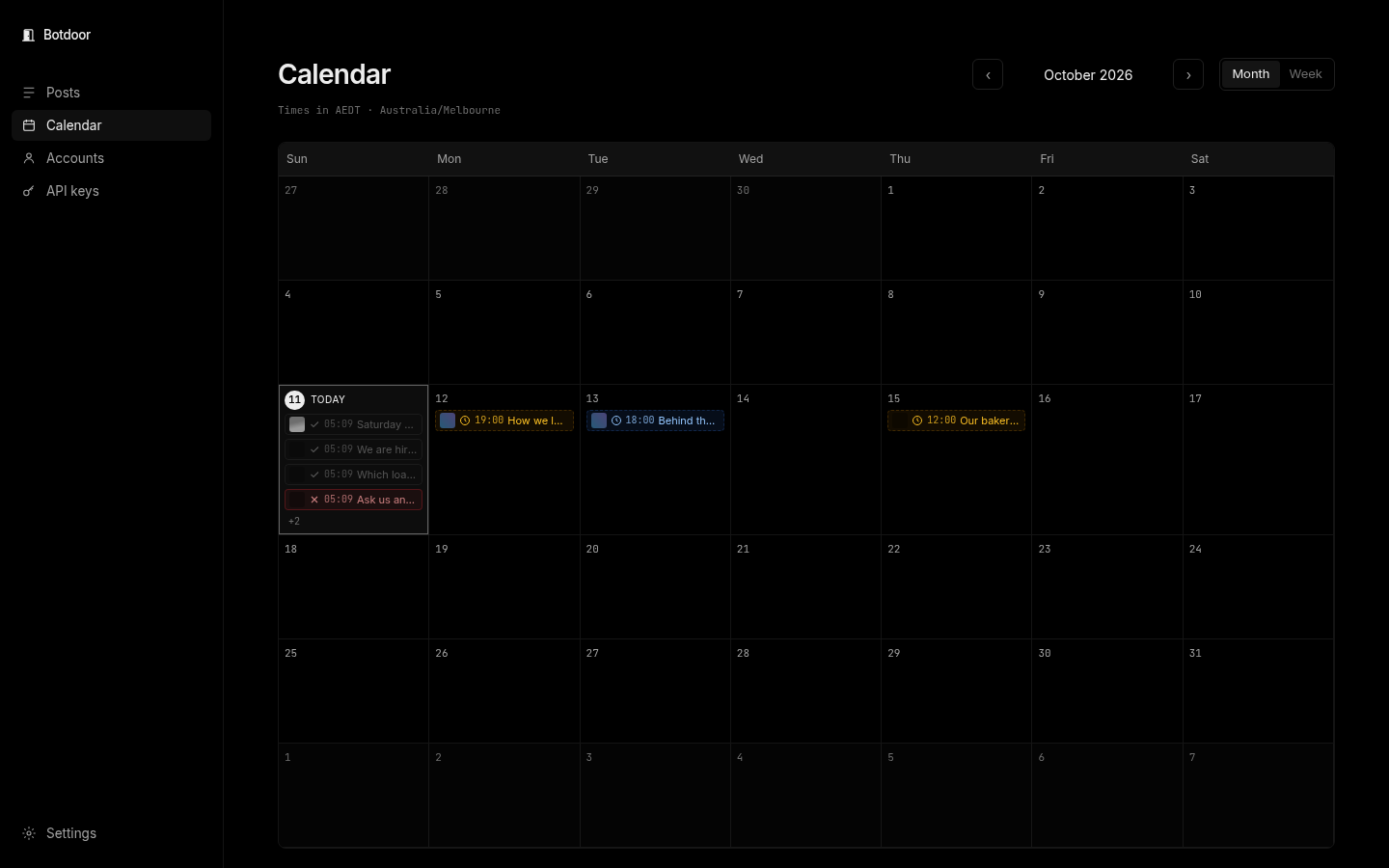
Bots can read the same view at /agent/calendar (?span=week, ?at=YYYY-MM-DD, ?tz=Area/City, ?format=json).
Common questions
What time zone does Botdoor use?
The offset you send in scheduledFor. The app shows times in your browser's time zone with a label.
Will Botdoor post late if the server was busy?
No. If a waiting post is approved after its time, Botdoor asks for Publish now or a new time.
How far ahead can I schedule?
Up to one year.
Can I move a published post?
No. Only posts that haven't gone out can be rescheduled or cancelled.